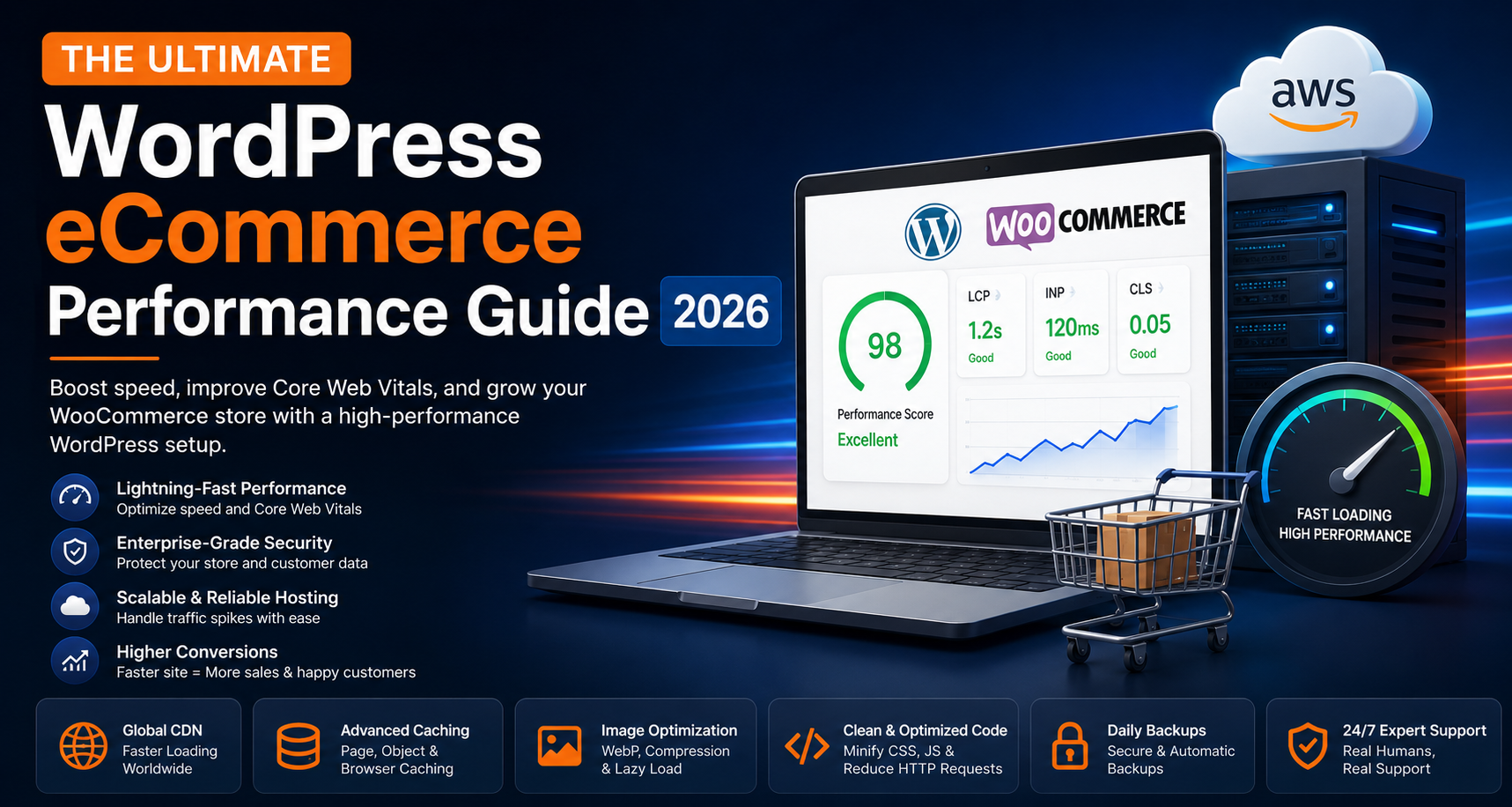
Building a successful WordPress eCommerce website requires much more than an attractive design. Modern online shoppers expect every page to load instantly, product pages to respond without delay, and the checkout experience to be smooth from start to finish. If your store is slow, customers are far more likely to leave before making a purchase, resulting in lost revenue and lower search engine visibility.
Today, WordPress combined with WooCommerce powers millions of online stores worldwide. Its flexibility, scalability, and massive plugin ecosystem make it the preferred platform for startups, growing brands, and enterprise businesses alike. However, without proper WordPress performance optimization, reliable cloud infrastructure, and ongoing maintenance, even the most beautifully designed store can suffer from slow loading speeds, security issues, and poor customer experience.
This comprehensive guide explains everything you need to know about improving WooCommerce performance, optimizing Core Web Vitals, reducing page load times, enhancing website security, and selecting the right managed cloud hosting for long-term business growth. Whether you're running a small online shop or a high-traffic eCommerce business, these best practices will help you create a faster, more secure, and highly scalable online store.
Why WordPress eCommerce Performance Matters
Website performance is no longer just a technical metric—it is one of the most important business assets for any online store. A fast website improves customer satisfaction, increases engagement, strengthens SEO rankings, and ultimately drives more conversions.
Every second counts in eCommerce. Studies consistently show that users abandon slow-loading websites, and search engines reward websites that provide an exceptional browsing experience. Investing in WordPress speed optimization not only enhances user experience but also directly contributes to increased sales and higher customer retention.
A high-performance WooCommerce website offers several business advantages:
- Higher customer trust and credibility
- Better Google search rankings
- Improved Core Web Vitals scores
- Lower bounce rates
- Higher conversion rates
- Increased average order value
- Improved customer retention
- Greater revenue potential
Even a one-second improvement in loading speed can significantly improve user engagement, reduce abandoned carts, and create a smoother shopping experience throughout the customer journey.
What Makes a WordPress eCommerce Website Slow?
Before optimizing your WooCommerce store, it's important to understand the factors that negatively affect website performance. Most performance issues are not caused by a single problem—they result from multiple bottlenecks working together.
Below are the most common reasons why WordPress eCommerce websites become slow as traffic and product catalogs grow.
1. Low-Quality Shared Hosting
Hosting is the foundation of every successful eCommerce website. Unfortunately, many businesses start with inexpensive shared hosting plans that prioritize low cost over performance. While shared hosting may work for personal blogs or very small websites, it often struggles to support WooCommerce stores experiencing regular customer traffic.
Because server resources are shared among hundreds of websites, your store competes for CPU power, RAM, and storage performance. During periods of high activity, this can lead to slower page loading, delayed checkout processes, and occasional downtime.
Common performance issues associated with shared hosting include:
- Limited CPU resources
- Low available memory (RAM)
- Slow server response times
- Resource contention from neighboring websites
- Frequent performance fluctuations
- Higher downtime during traffic spikes
Businesses planning long-term growth should consider moving to a managed AWS hosting solution or cloud-based infrastructure that provides dedicated resources, automatic scaling, and enterprise-grade reliability.
2. Installing Too Many WordPress Plugins
WordPress plugins provide incredible flexibility, allowing you to add almost any feature imaginable. However, every plugin introduces additional code that your server must process. Over time, installing too many plugins—or using poorly optimized ones—can dramatically reduce website performance.
Instead of relying on dozens of plugins, choose lightweight, actively maintained solutions that are built for performance. Regularly review your installed plugins and remove anything that is outdated, duplicated, or no longer necessary.
A streamlined plugin environment improves:
- Page loading speed
- Server response time
- Database efficiency
- Security
- Website stability
3. Unoptimized Product Images
Product images are one of the largest contributors to page size on an eCommerce website. While high-quality visuals are essential for showcasing products, oversized images significantly increase loading times if they are not optimized.
Modern image optimization techniques allow you to maintain excellent visual quality while dramatically reducing file size. Formats such as WebP, responsive image delivery, lazy loading, and image compression help improve both user experience and SEO performance.
Image optimization best practices include:
- Convert images to WebP format
- Compress files before uploading
- Enable lazy loading
- Use responsive image sizes
- Avoid uploading oversized original files
Faster image delivery leads to quicker page rendering and improved Core Web Vitals scores, especially on mobile devices.
4. Poor WooCommerce Database Maintenance
Every order, customer account, product update, plugin installation, and website revision generates additional records inside your WordPress database. Over time, this accumulated data can slow down queries and negatively affect both the frontend shopping experience and the WordPress administration panel.
Routine database optimization is an essential part of maintaining a high-performance WooCommerce store. Cleaning unnecessary records helps reduce server workload and improves response times across your website.
Regular database maintenance should include:
- Removing expired transients
- Cleaning post revisions
- Optimizing database tables
- Deleting spam comments
- Removing unused plugin data
- Optimizing WooCommerce sessions
A well-maintained database contributes to faster product searches, quicker checkout performance, and a smoother overall shopping experience.
Optimize Your WordPress Hosting Infrastructure
Your hosting infrastructure is the foundation of your website's performance. Even the most optimized WooCommerce store cannot perform well if it is running on slow or overloaded servers. Investing in a high-performance cloud hosting environment is one of the most effective ways to improve page speed, uptime, security, and scalability.
Unlike traditional shared hosting, modern cloud hosting allocates dedicated resources that ensure consistent performance even during traffic spikes. Businesses experiencing growth should consider managed cloud infrastructure capable of automatically scaling resources whenever demand increases.
A high-performance hosting platform should include:
- Dedicated CPU Resources
- High-Speed NVMe SSD Storage
- Latest PHP Versions (PHP 8.x)
- HTTP/2 & HTTP/3 Support
- Automatic Resource Scaling
- Enterprise Firewall Protection
- Daily Automated Backups
- 99.9%+ Uptime
- Global Data Centers
- Managed Security Monitoring
Businesses using managed cloud hosting generally experience faster page loading times, improved reliability, lower server response times, and greater flexibility as their online stores continue to grow.
Use a Global Content Delivery Network (CDN)
A Content Delivery Network (CDN) improves website performance by storing cached copies of your website across multiple servers located around the world. Instead of loading every request from a single origin server, visitors automatically receive website assets from the location nearest to them.
This significantly reduces latency and improves loading speeds for international customers while reducing the workload on your primary hosting server.
Benefits of Using a CDN
- Faster page loading worldwide
- Lower network latency
- Reduced server resource usage
- Improved Core Web Vitals
- Better SEO performance
- Higher website availability
- Built-in DDoS protection
- Improved customer experience
A properly configured CDN is one of the easiest ways to improve website performance without making major changes to your WordPress installation.
Enable Full Page Caching
Dynamic websites like WooCommerce generate pages every time a visitor loads your website. This requires database queries, PHP execution, and server processing. Caching stores pre-generated versions of these pages so they can be delivered instantly, dramatically reducing loading times.
An effective caching strategy reduces server workload while providing visitors with a faster and smoother browsing experience.
Recommended Caching Layers
- Browser Cache
- Full Page Cache
- Object Cache
- Redis Cache
- Opcode Cache (OPcache)
Combining multiple caching technologies can significantly improve both frontend performance and backend efficiency, especially for stores handling thousands of daily visitors.
Optimize Your WooCommerce Database
WooCommerce continuously stores information about products, orders, customers, sessions, plugin settings, and website revisions. Over time, unnecessary data accumulates inside the database, making queries slower and increasing server load.
Regular database optimization helps maintain peak performance while improving website responsiveness for both customers and administrators.
Database Optimization Checklist
- Delete expired transients
- Remove post revisions
- Optimize database tables
- Delete spam comments
- Clean orphaned metadata
- Remove unused plugin tables
- Optimize WooCommerce session data
Keeping your database clean improves product searches, dashboard performance, checkout speed, and overall website responsiveness.
Compress CSS and JavaScript Files
Modern WordPress themes and plugins rely heavily on CSS and JavaScript. While these files provide important functionality and design elements, they also increase page size if not optimized correctly.
Compressing and optimizing static assets allows browsers to download fewer bytes, resulting in faster rendering and shorter loading times.
Recommended Optimization Techniques
- CSS Minification
- JavaScript Minification
- Deferred JavaScript Loading
- Asynchronous Script Loading
- Unused CSS Removal
- Code Splitting
- Critical CSS Generation
These techniques improve Google PageSpeed Insights scores while reducing render-blocking resources that delay page display.
Enable Brotli Compression
Brotli is one of the most efficient compression algorithms available for modern websites. Compared to traditional GZIP compression, Brotli produces smaller file sizes while maintaining faster decompression speeds inside modern web browsers.
Smaller files mean less bandwidth consumption and significantly faster page delivery, especially for visitors accessing your website over mobile networks.
Advantages of Brotli Compression
- Smaller HTML, CSS, and JavaScript files
- Faster downloads
- Lower bandwidth usage
- Improved Google PageSpeed scores
- Better Core Web Vitals performance
Most enterprise cloud hosting providers now support Brotli by default, making it an essential optimization for high-performance WordPress websites.
Optimize Product Images for Faster Loading
Product images are often the largest assets on an eCommerce website. Without optimization, oversized images increase page size and slow down product pages, category pages, and the overall shopping experience.
Image optimization ensures customers receive high-quality visuals without sacrificing website speed.
Best Practices for Product Images
- Use WebP image format
- Compress images before uploading
- Enable Lazy Loading
- Serve responsive image sizes
- Preload important product images
- Avoid oversized uploads
Properly optimized product images contribute directly to improved Core Web Vitals, faster page rendering, and higher conversion rates.
Improve Core Web Vitals
Google's Core Web Vitals measure how users experience your website. These performance metrics are considered an important ranking factor and help determine whether visitors enjoy a fast, responsive, and visually stable browsing experience.
Optimizing Core Web Vitals benefits both SEO performance and customer satisfaction.
Largest Contentful Paint (LCP)
LCP measures how quickly the largest visible element loads. A score below 2.5 seconds is considered ideal.
Interaction to Next Paint (INP)
INP measures how quickly your website responds to user interactions such as clicking buttons or adding products to the shopping cart.
Cumulative Layout Shift (CLS)
CLS measures visual stability by tracking unexpected page movement while content loads. A stable page improves user experience and reduces accidental clicks.
Improving these three metrics helps your WooCommerce website rank higher, load faster, and provide a smoother shopping experience for every visitor.
Secure Your WordPress eCommerce Store
Website security is one of the most critical aspects of running a successful WooCommerce store. Every online business collects valuable customer information, including personal details, payment transactions, and order history. Without proper protection, your website becomes vulnerable to malware, brute-force attacks, data breaches, and unauthorized access.
A single security incident can damage your reputation, reduce customer trust, negatively impact SEO rankings, and result in lost revenue. Building multiple layers of security helps protect both your business and your customers.
Essential WordPress Security Best Practices
- Install an SSL Certificate to encrypt all website traffic.
- Enable a Web Application Firewall (WAF).
- Use Two-Factor Authentication (2FA) for administrator accounts.
- Keep WordPress core, plugins, and themes updated.
- Schedule automatic daily backups.
- Run regular malware and vulnerability scans.
- Limit login attempts to prevent brute-force attacks.
- Use strong passwords and role-based user permissions.
- Monitor suspicious login activity.
Security should never be considered an optional feature. It is an ongoing process that protects your customers, business reputation, and long-term growth.
Prepare Your Store for Traffic Spikes
Every successful eCommerce business experiences periods of increased traffic. Product launches, seasonal promotions, Black Friday campaigns, influencer marketing, and viral social media posts can all generate thousands of visitors within a short period.
If your hosting environment cannot handle these sudden traffic increases, your website may become slow or even unavailable during the exact moment customers are ready to buy.
Common High-Traffic Events
- Black Friday Sales
- Cyber Monday
- Holiday Shopping Seasons
- Flash Sales
- Product Launches
- Email Marketing Campaigns
- Social Media Promotions
- Paid Advertising Campaigns
Choosing scalable cloud infrastructure ensures your WooCommerce website remains fast, responsive, and available—even during peak shopping periods.
Monitor Website Performance Regularly
Website optimization is not a one-time task. As your business grows, new products, plugins, themes, and customer activity continuously affect website performance. Monitoring allows you to identify problems before they impact your visitors.
Regular performance audits help maintain excellent page speed, stronger SEO rankings, and a better shopping experience.
Recommended Performance Monitoring Tools
- Google PageSpeed Insights
- Google Search Console
- Google Lighthouse
- GTmetrix
- Cloudflare Analytics
- Chrome DevTools
Monitor important performance metrics such as page load time, server response time (TTFB), Core Web Vitals, uptime, and resource usage to ensure your website consistently performs at its best.
WordPress eCommerce Performance Checklist
Before launching or scaling your online store, use the following checklist to verify that your website follows modern performance best practices.
- ✔ Choose high-performance cloud hosting
- ✔ Use Managed AWS Infrastructure
- Enable a Content Delivery Network (CDN)
- Compress all product images
- Convert images to WebP format
- Enable Browser & Page Caching
- Configure Redis Object Cache
- Optimize WooCommerce database
- Remove unused plugins and themes
- Minify CSS & JavaScript files
- Enable Brotli Compression
- Upgrade to the latest PHP version
- Monitor Core Web Vitals regularly
- Schedule automated daily backups
- Protect your website using a Web Application Firewall
- Enable SSL across the entire website
- Scan regularly for malware and vulnerabilities
- Monitor website uptime 24/7
Why ScaleHost Is Built for High-Performance WordPress eCommerce
At ScaleHost, we understand that modern businesses require more than traditional web hosting. Every WooCommerce store deserves enterprise-grade infrastructure capable of delivering exceptional speed, high availability, strong security, and effortless scalability.
Our fully managed AWS hosting platform is specifically designed to help businesses eliminate infrastructure complexity while focusing on growth. We handle server optimization, security, monitoring, backups, updates, and performance tuning so that your team can focus on running your business.
Why Businesses Choose ScaleHost
- Fully Managed AWS Cloud Infrastructure
- Dedicated High-Performance Cloud Servers
- NVMe SSD Storage for Maximum Speed
- Automatic Daily Backups
- Enterprise Security Protection
- Advanced Firewall & DDoS Protection
- 24×7 Infrastructure Monitoring
- Optimized WordPress & WooCommerce Performance
- Automatic Scaling During Traffic Spikes
- Expert Technical Support
- High Availability Architecture
- Reliable Infrastructure for Growing Businesses
Whether you're launching your first WooCommerce store or managing thousands of daily visitors, ScaleHost provides a reliable cloud platform that delivers outstanding performance, security, and long-term scalability.
Final Thoughts
Website performance directly influences every stage of the customer journey—from the first page visit to the final checkout. Faster websites create stronger first impressions, improve search engine rankings, reduce bounce rates, increase customer satisfaction, and generate higher conversion rates.
Optimizing your WordPress eCommerce website involves much more than installing a caching plugin. It requires the right hosting infrastructure, continuous performance monitoring, image optimization, database maintenance, modern security practices, and a scalable cloud platform capable of supporting long-term business growth.
By implementing the optimization techniques covered in this guide, you'll build a WooCommerce store that delivers exceptional speed, reliability, security, and user experience—giving your business a competitive advantage in today's digital marketplace.
If you're ready to improve your WordPress website performance, migrate to reliable cloud infrastructure, and provide your customers with a faster shopping experience, ScaleHost is ready to help you build a high-performance online store that scales with your business.
Shared Hosting vs Managed AWS Hosting
Choosing the right hosting environment plays a major role in the performance, security, and scalability of your WordPress eCommerce website. While shared hosting may be suitable for small websites with minimal traffic, growing WooCommerce stores require a cloud infrastructure that can handle increasing visitors, orders, and business demands.
| Feature | Shared Hosting | Managed AWS Hosting |
|---|---|---|
| Performance | Shared Resources | Dedicated Cloud Resources |
| Scalability | Limited | Automatic Scaling |
| Storage | Standard SSD | High-Speed NVMe SSD |
| Security | Basic Protection | Enterprise-Level Security |
| Backups | Limited | Automated Daily Backups |
| Performance During Traffic Spikes | Can Slow Down | Handles High Traffic Efficiently |
| Server Optimization | Manual | Fully Managed |
| Best For | Small Personal Websites | Business & WooCommerce Stores |
Frequently Asked Questions
Is WordPress Good for eCommerce?
Yes. WordPress combined with WooCommerce is one of the world's most popular eCommerce platforms. It offers complete flexibility, thousands of extensions, advanced SEO capabilities, and supports businesses of every size.
What Is the Best Hosting for WooCommerce?
Managed cloud hosting built on AWS infrastructure is considered one of the best options for WooCommerce websites because it provides excellent performance, automatic scaling, enterprise-grade security, and high availability.
Why Is My WooCommerce Website Slow?
Common causes include shared hosting, oversized product images, excessive plugins, an unoptimized database, outdated PHP versions, missing caching, and the absence of a CDN.
How Can I Speed Up My WordPress Website?
Improve your hosting, enable page caching, optimize images, compress CSS and JavaScript, activate Brotli compression, use a CDN, optimize your database, and monitor Core Web Vitals regularly.
Does Website Speed Affect SEO?
Yes. Google considers page experience and Core Web Vitals as ranking signals. Faster websites generally provide a better user experience, lower bounce rates, and stronger search visibility.
What Are Core Web Vitals?
Core Web Vitals measure loading speed, responsiveness, and visual stability using three metrics: Largest Contentful Paint (LCP), Interaction to Next Paint (INP), and Cumulative Layout Shift (CLS).
Should I Use a CDN for WordPress?
Absolutely. A Content Delivery Network reduces latency by serving website assets from the server closest to each visitor, resulting in faster loading times across the globe.
How Often Should I Optimize My WooCommerce Database?
Database optimization should be performed regularly, especially for stores with frequent customer activity, new products, or high order volumes. Monthly maintenance is recommended for most websites.
Is Managed AWS Hosting Worth It?
For businesses that prioritize speed, uptime, scalability, and security, managed AWS hosting provides significant long-term value compared to traditional shared hosting.
Can a Faster Website Increase Sales?
Yes. Faster websites improve customer experience, reduce cart abandonment, increase trust, and typically lead to higher conversion rates and revenue.
Key Takeaways
- Choose high-performance cloud hosting instead of shared hosting.
- Optimize images before uploading products.
- Use a Content Delivery Network (CDN).
- Enable browser caching, Redis, and page caching.
- Optimize WooCommerce database regularly.
- Compress CSS and JavaScript files.
- Enable Brotli Compression.
- Improve Core Web Vitals.
- Keep WordPress, themes, and plugins updated.
- Monitor website performance continuously.
Ready to Supercharge Your WordPress eCommerce Website?
Every second matters in eCommerce. Faster websites deliver better customer experiences, improve SEO rankings, increase conversion rates, and help businesses grow with confidence.
At ScaleHost, we provide fully managed AWS hosting built specifically for high-performance WordPress and WooCommerce websites. Our cloud infrastructure is optimized for speed, security, reliability, and scalability—so you can focus on growing your business while we manage the technology behind it.
Whether you're launching a new online store, migrating from shared hosting, or preparing for rapid growth, ScaleHost offers the performance and support needed to keep your website running at its best.
Get Started with ScaleHost